Marine Ethernet Setup Guide: Garmin Marine Network vs. BlueNet
Radar, sonar imaging like Panoptix LiveScope, IP cameras, and sharing charts and data between two or three displays at the helm all need far more bandwidth than NMEA 2000 was ever built to carry. That’s what marine Ethernet is for — a separate, much faster network layered on top of the NMEA 2000 sensor bus. On Garmin equipment specifically, this exists in two generations: the long-running proprietary Garmin Marine Network, and its current successor, Garmin BlueNet. This guide covers both, plus a real BlueNet product for expanding a network. For where this fits next to NMEA 0183 and NMEA 2000, start with the networking overview.
Garmin Marine Network: the legacy system
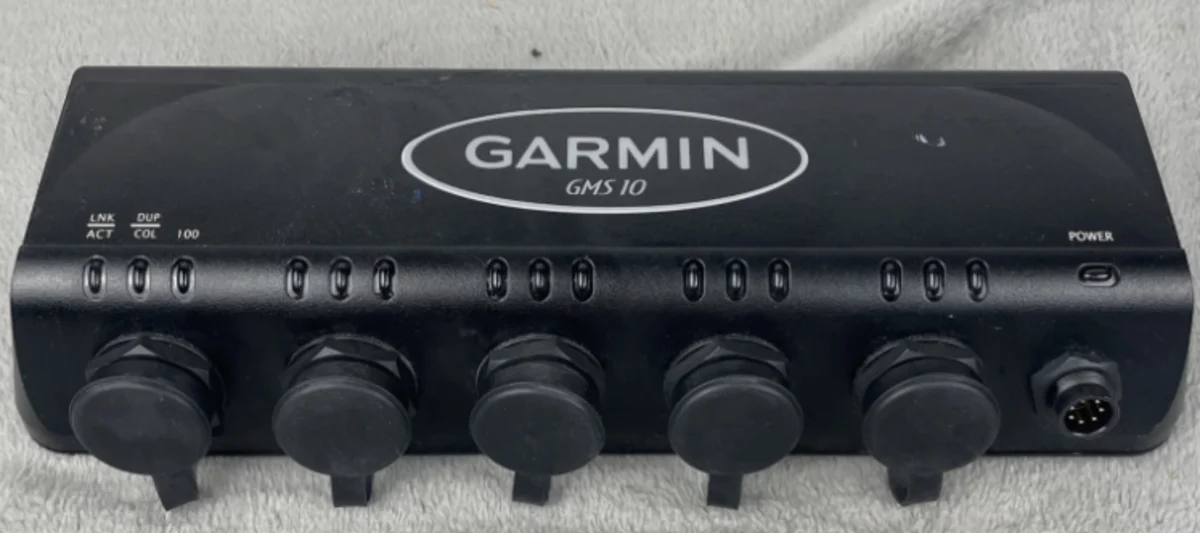
The Marine Network is Garmin’s original Ethernet backbone, built around an RJ45-style connector fitted with a marine locking collar rather than a bare consumer Ethernet plug, and running two twisted pairs for data plus two more for power. Devices like the GMS 10 pictured above act as a switch/expander, adding extra Marine Network ports at the helm so you can connect a chartplotter, a radar dome, a sonar black box, and a camera without running out of ports on the chartplotter itself. This is still a fully supported, widely deployed system — most Garmin boats built over roughly the last decade are running it.
The part worth knowing before adding a camera: if you’re connecting a third-party (non-Garmin) PoE device — most commonly an IP camera — to a legacy Garmin Marine Network, you need a PoE isolation coupler (Garmin part number 010-10580-10) between the camera and the network. The Marine Network’s power-over-data-pair design isn’t natively compatible with standard PoE equipment, and skipping the isolation coupler risks damaging either the camera or the network hardware.
Garmin BlueNet: the current system
BlueNet is Garmin’s newer marine networking standard, introduced alongside the GPSMAP 9000 series, and it’s a real generational jump: standards-based Gigabit Ethernet (up to 1 Gbps, versus the legacy network’s much lower throughput), four twisted pairs combined for both data and Wake-on-LAN power-on capability, and a more compact, NMEA-2000-style connector rather than the older RJ45-with-locking-collar design. The Garmin BlueNet 20 Switch is the current expansion switch for the system — five network ports for adding chartplotters, sonar modules, radar, and cameras onto a BlueNet backbone.
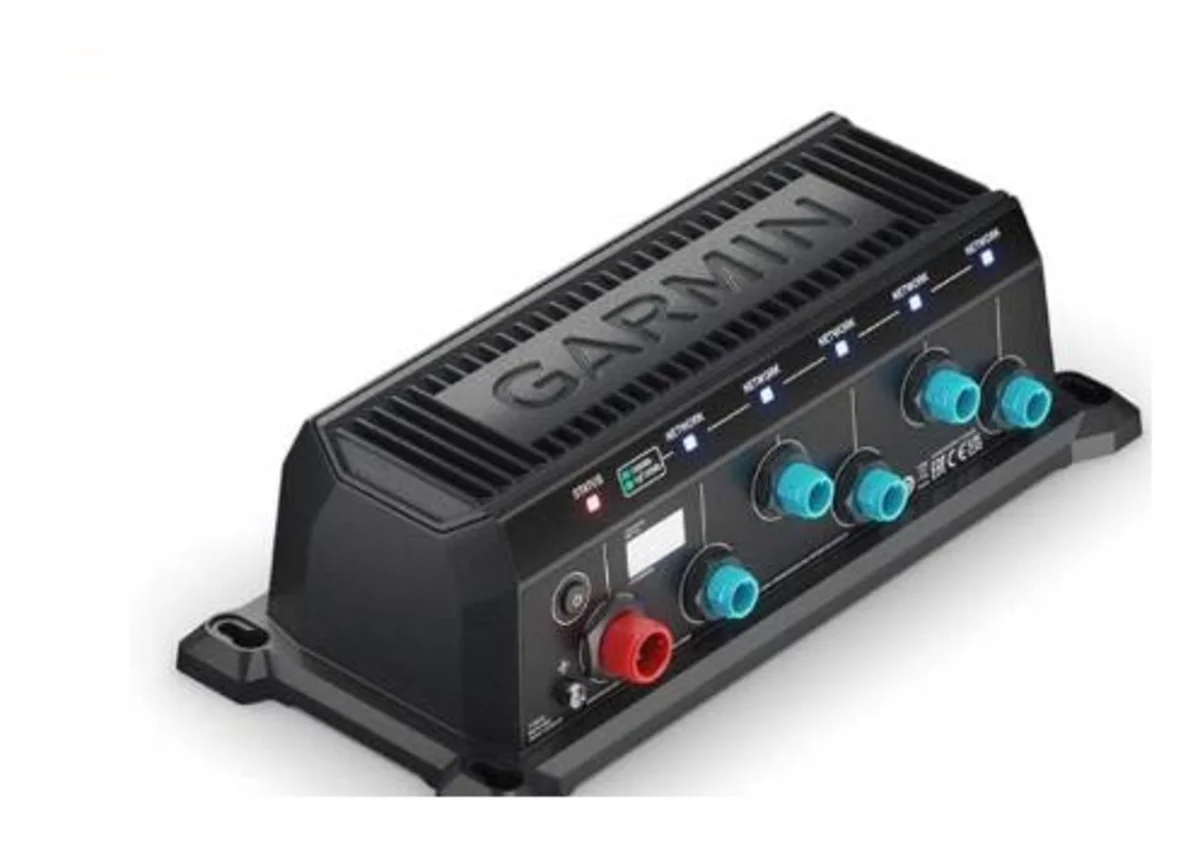
Two practical differences worth knowing if you’re moving from the legacy network to BlueNet: BlueNet does not require the PoE isolation coupler for third-party IP cameras — the compatibility problem that made the coupler necessary on the legacy system isn’t present on BlueNet. And BlueNet is backward-compatible with existing legacy Marine Network devices through a BlueNet 30 gateway, so a boat with older Garmin Marine Network hardware doesn’t have to rip everything out to add BlueNet-generation equipment — the gateway bridges the two.
Where this sits relative to other brands
Garmin isn’t the only manufacturer running a proprietary Ethernet layer for this kind of high-bandwidth data. Simrad and B&G use their own Ethernet backbone alongside SimNet (their NMEA-2000-equivalent sensor bus, which is electrically compatible with standard NMEA 2000 via an adapter, but not itself an Ethernet system). Furuno’s NavNet product line runs on standard Ethernet hardware plus NMEA 0183/2000 rather than a fully proprietary connector system. There’s also NMEA OneNet, a newer open standard (finalized in 2020) meant to eventually standardize this Ethernet layer across brands the way NMEA 2000 standardized the sensor bus — it’s IPv6-based, supports PoE, and uses standard RJ-45 or ruggedized M12 connectors, but as of 2026 industry adoption is still gradual, and most brands, Garmin included, are still primarily running their own proprietary systems rather than OneNet.
Dos and don’ts
Do confirm which generation of network your existing chartplotter uses (legacy Marine Network vs. BlueNet) before buying any expansion hardware — the connectors are physically different and not directly interchangeable without a gateway.
Do use a BlueNet 30 gateway if you’re mixing legacy Marine Network devices with newer BlueNet equipment, rather than assuming they’ll connect directly.
Do budget for a PoE isolation coupler any time you’re adding a third-party IP camera to a legacy Marine Network — this is an easy step to miss and skipping it risks damaging equipment.
Don’t assume “Ethernet” means any Ethernet cable and switch will work — both Garmin systems use marine-specific connectors (locking RJ45-style for legacy, compact NMEA-2000-style for BlueNet), not standard consumer networking hardware, at least at the device end.
Don’t try to run radar or Panoptix LiveScope over NMEA 2000 — this data has to go over the Ethernet/BlueNet layer; NMEA 2000 doesn’t have the bandwidth for it.
Don’t mix brands’ proprietary Ethernet systems directly — a Garmin BlueNet device and a Simrad Ethernet device aren’t going to talk to each other without going through a chartplotter or gateway that supports both.
What data typically runs on marine Ethernet / BlueNet
Radar returns, Panoptix LiveScope and other high-resolution sonar imaging, video from IP cameras, and shared chart/sonar data between two or more MFDs at different helm stations — all data that’s too bandwidth-heavy for NMEA 2000 to carry. This is the layer that separates GPSMAP, which runs the full networking stack, from ECHOMAP and especially STRIKER, which are built with a much lighter networking footprint by design.
Bottom line
If you’re running Garmin gear from roughly the last decade, you’re most likely on the legacy Marine Network — know about the PoE isolation coupler before adding a third-party camera. If you’re buying new GPSMAP 9000-series equipment, you’re on BlueNet, which is faster, uses simpler power-on behavior, and bridges back to legacy hardware through a BlueNet 30 gateway rather than forcing a full network replacement.
This article may contain affiliate links. If you buy through them, we may earn a small commission at no extra cost to you. Learn more.